| v5.1.0 | ## v5.1.0 — your agent catches up on Slack the way you would, and knows who it's listening to 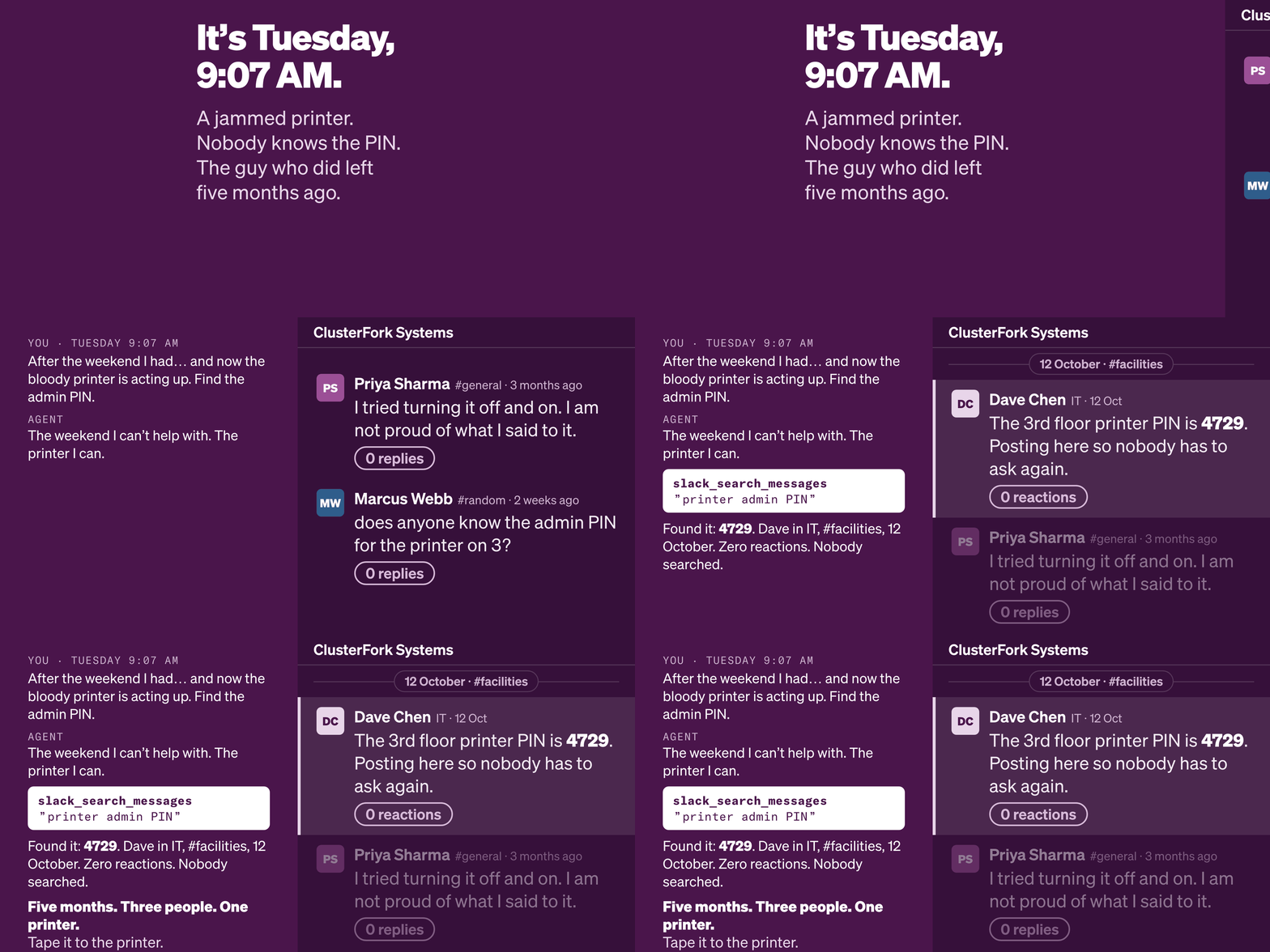 Put your agent inside your Slack. Zer | High | 10/7/2026 |
| v5.0.0 | ### Speaks MCP 2026-07-28, drops the hosted stubs Two changes, one release. The protocol layer moves to the 2026-07-28 revision without breaking anything that talks to it today, and the two tools that never did any work here are gone. ### Breaking - **`slack_smart_search` and `slack_triage` are removed.** They made no Slack call; the OSS handlers returned an upgrade payload pointing at a hosted tier. Every tool this package advertises now does its work on your machine. The surface is ** | High | 8/24/2026 |
| v4.9.0 | ### Catch-up runs locally `slack_catch_me_up` was a hosted-only stub: it advertised a rich contract in every client's tool list and returned an upgrade payload. It runs locally now, against your own session, with no hosted account and no server-side model. The reason it can is structural. An MCP server is always called by something that is already a language model, so summarising was never the part that needed hosting — gathering was. This release does the gathering deterministically and retu | High | 8/13/2026 |
| v4.6.1 | No runtime changes to the stdio server. This release refreshes every surface a new user meets before their first `npx`. ### Changed - **Hosted-eval worker reaches tool parity + the upgrade path** — the Smithery/hosted-eval worker (`workers/mcp-worker.js`) now exposes 19 tools: the full 16-tool Slack read/write surface plus the 3 discoverable hosted upgrade stubs (`slack_smart_search`, `slack_catch_me_up`, `slack_triage`) returning the same `tool_requires_hosted` payload as the stdio server. It | High | 8/4/2026 |
| v4.6.0 | Two community-driven improvements: run work and personal Slack side-by-side, and extraction that tells you why it failed. ## Workspace profiles (#164) `SLACK_MCP_PROFILE=work` — or `--profile work` on any CLI command — gives each server instance its own credential namespace: token file, metadata sidecar, write lock, and Keychain service. Two MCP client entries with different profiles run side-by-side; setup or refresh in one never touches the other. ```json { "mcpServers": { "slack-work | High | 7/21/2026 |
| v4.4.3 | ## OAuth Lifeboat — recovery at the moment of pain Slack rotates browser session tokens (xoxc/xoxd) roughly every 1–2 weeks. Until now, a dead token meant every tool call failed with a raw `invalid_auth`. From 4.4.3, the server detects token death (`invalid_auth`, `not_authed`, `token_expired`, `token_revoked`, `account_inactive`, HTTP 401) in both transports and the `slack_health_check` connectivity test, and returns structured recovery guidance instead: 1. **Self-fix first** — re-extract wit | Medium | 7/3/2026 |
| v4.4.2 | ### Fixed - **HTTP transport dispatches all 21 advertised tools** — `slack_workflow_save`, `slack_workflows`, and the three hosted upgrade stubs previously returned `unknown_tool` over HTTP. Both transports now route through a shared handler map, with a schema test guarding against future drift between `tools/list` and the dispatch surface. - **Worker tool contracts** — `slack_users_search` paginates `users.list` (explicit scan cap + `truncated` flag) and honors `limit`; `slack_conversations_unr | High | 7/2/2026 |
| v4.4.0 | ## 4.4.0 ### Added - `include_rich_message_fields` (opt-in) on the four read tools — surfaces attachments, blocks, files, reactions, metadata, and bot/app markers that live outside `text`. Independent `include_all_metadata` adds the full event payload. (#143, thanks @rvandam) - First unit test suite (`node --test`). Full changelog: https://github.com/jtalk22/slack-mcp-server/blob/main/CHANGELOG.md | High | 6/9/2026 |
| v4.3.0 | ## Added - **`--refresh-tokens` CLI flag** — `npx -y @jtalk22/slack-mcp --refresh-tokens` now runs the Chrome auto-extract path (equivalent to `npm run tokens:auto`). Closes the gap between the wizard-only `--setup` flag and the unscheduled-by-default token-refresh capability. Designed to be called from a LaunchAgent, cron, or CI to keep tokens fresh while Claude is closed for weeks at a time. - **Token-refresh LaunchAgent docs** (`docs/SETUP.md`) — Optional macOS LaunchAgent template that runs | High | 5/12/2026 |
| v4.2.2 | **Patch release. Hardens the shell-exec surface to clear AgentScore advisory [AGENTSCORE-2026-0016](https://dev.to/) (90→80, LOW→MODERATE).** ## Why this exists AgentScore flagged v4.2.0 for `command_injection: shell execution with template literal input`. Two surfaces matched: | File | Line | Variable | Source | |---|---|---|---| | `scripts/token-cli.js` | 146-147 | `KEYCHAIN_SERVICE` | Hardcoded `"slack-mcp-server"` (lib/token-store.js:18) | | `lib/handlers.js` | 58 | `tempPath` | Internal | High | 4/26/2026 |
| v4.1.0 | ## Chrome DB Decryption. Stealth Mode. Zero OAuth. **v4.1.0** reads Slack session cookies directly from Chrome's encrypted SQLite store — PBKDF2 + AES-128-CBC via macOS Keychain. No DevTools. No manual copy-paste. No OAuth app install. ### What's New - **Chrome DB decryption** — `npm run tokens:auto` extracts the `d` cookie from Chrome's encrypted cookie jar. The `d` cookie is HttpOnly (invisible to `document.cookie`), so this is the only path that doesn't require manual intervention. - **Ste | Medium | 3/31/2026 |
| v4.0.0 | 16 tools, one-command setup, works where Slack's official MCP server doesn't. Slack's official MCP requires a registered app and admin approval, and [doesn't work with Claude Code or GitHub Copilot](https://github.com/anthropics/claude-code/issues/30564) due to OAuth/DCR incompatibility. This server uses your browser session instead — no app registration, no admin, no OAuth. ### What you get - **16 tools** — search, messages, threads, DMs, reactions, unreads, user lookup, send messages. | Medium | 3/30/2026 |
| v3.2.5 | ## v3.2.5 — metadata, discovery, and company-led Cloud routing Align public metadata, release proof, and hosted buyer-routing around the current company-led Slack MCP Cloud surface. ### Improved - aligned `package.json`, `package-lock.json`, `server.json`, and `glama.json` on `3.2.5` - refreshed public README, Pages, and docs so Cloud routing points to pricing, workflows, Gemini CLI, readiness, procurement, deployment review, and support - added a checked distribution ledger for MCP Registry, G | Low | 3/12/2026 |
| v3.2.4 | ## v3.2.4 — Distribution Parity and Support Paths `v3.2.4` restores version parity across the shipped runtime, Docker smoke path, registry metadata, and current public trust surfaces while aligning support paths for self-hosted and managed deployment modes. ```bash npx -y @jtalk22/slack-mcp@latest --version npx -y @jtalk22/slack-mcp@latest --doctor ``` ### Improved - **Runtime version integrity** — CLI, setup wizard, HTTP transport, web mode, and Docker smoke output now derive their release | Low | 3/11/2026 |
| v3.2.3 | Replace personal email with role-based `@revasserlabs.com` addresses across all customer-facing surfaces. ### Changes - Author/support email → `support@revasserlabs.com` - Privacy/GDPR/CCPA contact → `privacy@revasserlabs.com` - Social preview card: email → URL (`mcp.revasserlabs.com`) ### What's NOT changed - CI/attribution scripts — structural git identity - Historical release notes — frozen records - All MCP tools and API behavior unchanged ```bash npx -y @jtalk22/slack-mcp@3.2.3 --version | Low | 3/11/2026 |
| v3.2.2 | ## What's Changed ### Security - Patched 5 npm audit vulnerabilities (3 high, 1 moderate, 1 low) - hono 4.12.2 → 4.12.7 (cookie injection, SSE injection, arbitrary file access) - @hono/node-server 1.19.9 → 1.19.11 (auth bypass via encoded slashes) - express-rate-limit 8.2.1 → 8.3.1 (IPv4-mapped IPv6 rate limit bypass) - ajv 8.17.1 → 8.18.0 (ReDoS) - qs 6.14.1 → 6.14.2 (DoS) ### Registry & Ecosystem - Homepage URL → `mcp.revasserlabs.com` (canonical cloud landing page) - server.json, | Low | 3/10/2026 |
| v3.2.0 | ## v3.2.0 — Reactions, Unreads, User Search `v3.2.0` adds 5 new tools across all three transports: emoji reactions, mark-as-read, unread inbox, and user search. Tool count moves from 11 to 16. ```bash npx -y @jtalk22/slack-mcp@latest --version npx -y @jtalk22/slack-mcp@latest --doctor ``` ### New Tools | Tool | Purpose | |------|---------| | `slack_add_reaction` | Add emoji reactions to messages | | `slack_remove_reaction` | Remove emoji reactions from messages | | `slack_conversations_mark` | Low | 3/10/2026 |
| v3.1.0 | ## v3.1.0 — Cloud + Key Delivery `v3.1.0` adds the Cloud product surface and post-checkout key delivery page. ```bash npx -y @jtalk22/slack-mcp@latest --version npx -y @jtalk22/slack-mcp@latest --doctor ``` ### What Changed - **Cloud landing page** — `cloud.html` introduces Slack MCP Cloud: a hosted MCP endpoint with one URL, 13 tools, encrypted token storage, and zero local config. Solo ($19/mo) and Team ($49/mo) plans with Stripe checkout. - **Post-checkout key delivery** — `success.html` | Low | 3/10/2026 |
| v3.0.0 | ## v3.0.0 - Secure-Default Hosted HTTP, Local-First Paths Unchanged `v3.0.0` flips hosted `/mcp` from permissive to secure-default without breaking local workflows. Post-release note (February 28, 2026): mobile/public demo surfaces were polished on `main` with no runtime contract changes. ```bash npx -y @jtalk22/slack-mcp --setup npx -y @jtalk22/slack-mcp@latest --version npx -y @jtalk22/slack-mcp@latest --doctor npx -y @jtalk22/slack-mcp@latest --status ``` Quick demo proof: - Share card: h | Low | 2/28/2026 |
| v2.0.0 | > [!IMPORTANT] > Superseded by [`v3.0.0`](https://github.com/jtalk22/slack-mcp-server/releases/latest). Current install path: https://jtalk22.github.io/slack-mcp-server/ > > Install + Verify: > ```bash > npx -y @jtalk22/slack-mcp --setup > npx -y @jtalk22/slack-mcp@latest --version > npx -y @jtalk22/slack-mcp@latest --doctor > npx -y @jtalk22/slack-mcp@latest --status > ``` ## v2.0.0 — Deterministic Diagnostics and Distribution Parity This release hardens install diagnostics, standardizes status | Low | 2/26/2026 |
| v1.2.4 | > [!IMPORTANT] > Superseded by [`v3.0.0`](https://github.com/jtalk22/slack-mcp-server/releases/latest). Current install path: https://jtalk22.github.io/slack-mcp-server/ > > Install + Verify: > ```bash > npx -y @jtalk22/slack-mcp --setup > npx -y @jtalk22/slack-mcp@latest --version > npx -y @jtalk22/slack-mcp@latest --doctor > npx -y @jtalk22/slack-mcp@latest --status > ``` ## v1.2.4 — No-Surprise Diagnostics for Slack MCP Operators This release removes diagnostic side effects and makes setup/au | Low | 2/26/2026 |
| v1.2.3 | ## v1.2.3 — Install Flow and Diagnostics ### Improved - Added concise issue/release follow-up templates and communication style guidance for faster bug-response loops. - Expanded setup reliability surfaces: README compatibility check, docs index, and demo CTA/meta alignment. - Added install verifier script and CI coverage to catch install regressions early. - Added `--doctor` CLI diagnostics with deterministic exit codes and one clear next action. ### Compatibility - No API/tool schema changes | Low | 2/25/2026 |
| v1.2.2 | ### Improved - Aligned CLI/setup guidance to `npx -y @jtalk22/slack-mcp` - Removed stale token-refresh command references in runtime messaging - Added deployment mode, support-boundary, and use-case recipe docs - Added demo CTA strip and deployment intake issue template No API/tool schema changes. | Low | 2/25/2026 |
| v1.2.1 | > [!IMPORTANT] > Superseded by [`v3.0.0`](https://github.com/jtalk22/slack-mcp-server/releases/latest). Use the latest release for current install/migration guidance. ## v1.2.1 — Reliability + Installer Fixes This patch resolves two high-friction paths: - `slack_get_thread` / search calls returning `invalid_arguments` - downstream `npx @jtalk22/slack-mcp` executable resolution failures ### Fixed - Form-encoded request bodies for Slack endpoints that require them (`conversations.replies`, `sea | Low | 2/24/2026 |
| v1.2.0 | # v1.2.0 Simplifies setup. Hardens runtime. Drops Node 18. [▶️ Watch the demo](https://github.com/jtalk22/slack-mcp-server/blob/main/docs/videos/demo-claude-v1.2.webm) --- ## Setup Wizard ```bash npx @jtalk22/slack-mcp --setup ``` macOS: Tokens extracted from Chrome via AppleScript. Linux/Windows: Guided entry with API validation before save. --- ## Session Mirroring Slack official API path: create app, request scopes, wait for admin approval. DM access requires per-conversation conse | Low | 1/22/2026 |
| v1.1.9 | Include HTTP transport (server-http.js) for Smithery hosted deployments. | Low | 1/9/2026 |
| v1.1.8 | Add mcpName for official MCP registry compatibility. | Low | 1/9/2026 |
| v1.1.7 | Trauma response to context overload. Built a context protocol. Stable now (v1.1.7). --- **What's Changed** - Reliability and error handling improvements - Documentation accuracy fixes - Cleaner project structure **Full Changelog**: https://github.com/jtalk22/slack-mcp-server/compare/v1.1.6...v1.1.7 | Low | 1/8/2026 |
| v1.1.6 | ### Changed - Web server binds to `127.0.0.1` (localhost only) - CORS accepts localhost origins only - File exports write to `~/.slack-mcp-exports/` **Upgrade:** ```bash npm update -g @jtalk22/slack-mcp ``` | Low | 1/8/2026 |
| v1.1.5 | ### Changed - README badges use pure markdown for mobile compatibility - Simplified glama.json configuration **Install:** ```bash npm install -g @jtalk22/slack-mcp ``` | Low | 1/8/2026 |
| v1.1.4 | ### Changed - Expanded npm keywords for search discoverability - Added Open Graph meta tags to demo page - Enhanced Dockerfile with OCI labels **Install:** ```bash npm install -g @jtalk22/slack-mcp ``` | Low | 1/8/2026 |
| v1.1.2 | ### Changed - Homepage now points to live demo for npm discoverability **Install:** ```bash npm install -g @jtalk22/slack-mcp ``` **Links:** - [Live Demo](https://jtalk22.github.io/slack-mcp-server/public/demo.html) - [Documentation](https://github.com/jtalk22/slack-mcp-server#readme) | Low | 1/8/2026 |
| v1.0.3 | ## What's Changed - Fix npm publish workflow to use correct secret configuration - Enable provenance attestation for package verification **Full Changelog**: https://github.com/jtalk22/slack-mcp-server/compare/v1.0.0...v1.0.3 | Low | 1/3/2026 |
| v1.0.2 | - Fixed OIDC trusted publishing workflow - Now publishes with provenance attestation | Low | 1/3/2026 |
| v1.0.1 | - Added trusted publishing workflow for automated npm releases - Minor maintenance update | Low | 1/3/2026 |
| v1.0.0 | ## Slack MCP Server v1.0.0 First stable release of the Slack MCP Server - giving Claude full access to your Slack workspace including DMs, channels, and message history. ### Features - **Read Messages** - Fetch history from any DM or channel - **Full Export** - Export conversations with threads and resolved usernames - **Search** - Search messages across your workspace - **Send Messages** - Send to DMs or channels - **Auto Token Recovery** - Refreshes expired tokens from Chrome automatically | Low | 1/3/2026 |